CrescoDB vs Supabase
Both give you a database and an instant API. The real difference is where your backend runs and how much of it you own. Here is an honest breakdown, including where Supabase is the better pick.
The quick answer
Choose CrescoDB if you
- develop locally or in the browser and want to start in seconds, with no cloud project to provision
- want to own and edit your backend code, not just call a hosted SDK
- want the database, REST API, auth, deploys, monitoring and backups in one workflow
- want to run production on a server you already rent, at a price that does not grow with every app
- want the same schema and API across SQLite, Postgres and MySQL
Choose Supabase if you
- want managed Postgres with nothing to operate, ever
- need GraphQL or edge functions out of the box
- want the largest ecosystem, the most tutorials and the most third-party tooling
- prefer a cloud-first workflow and never want to touch a server
- are running a team that already knows Supabase well
Side by side
Only what exists today. No roadmap in this table.
| Capability | CrescoDB | Supabase |
|---|---|---|
| Local-first development | ✓ Full. Runs on your machine, offline | Partial. Cloud-first, local via CLI |
| Start with no install | ✓ Yes, in the browser | ✕ Account and project required |
| Where production runs | A server you rent. We build and run it there | Their infrastructure |
| Generated backend code you own | ✓ Real files you can read and edit | ✕ You call their SDK |
| Auto REST API | ✓ | ✓ (PostgREST) |
| GraphQL | ✕ | ✓ |
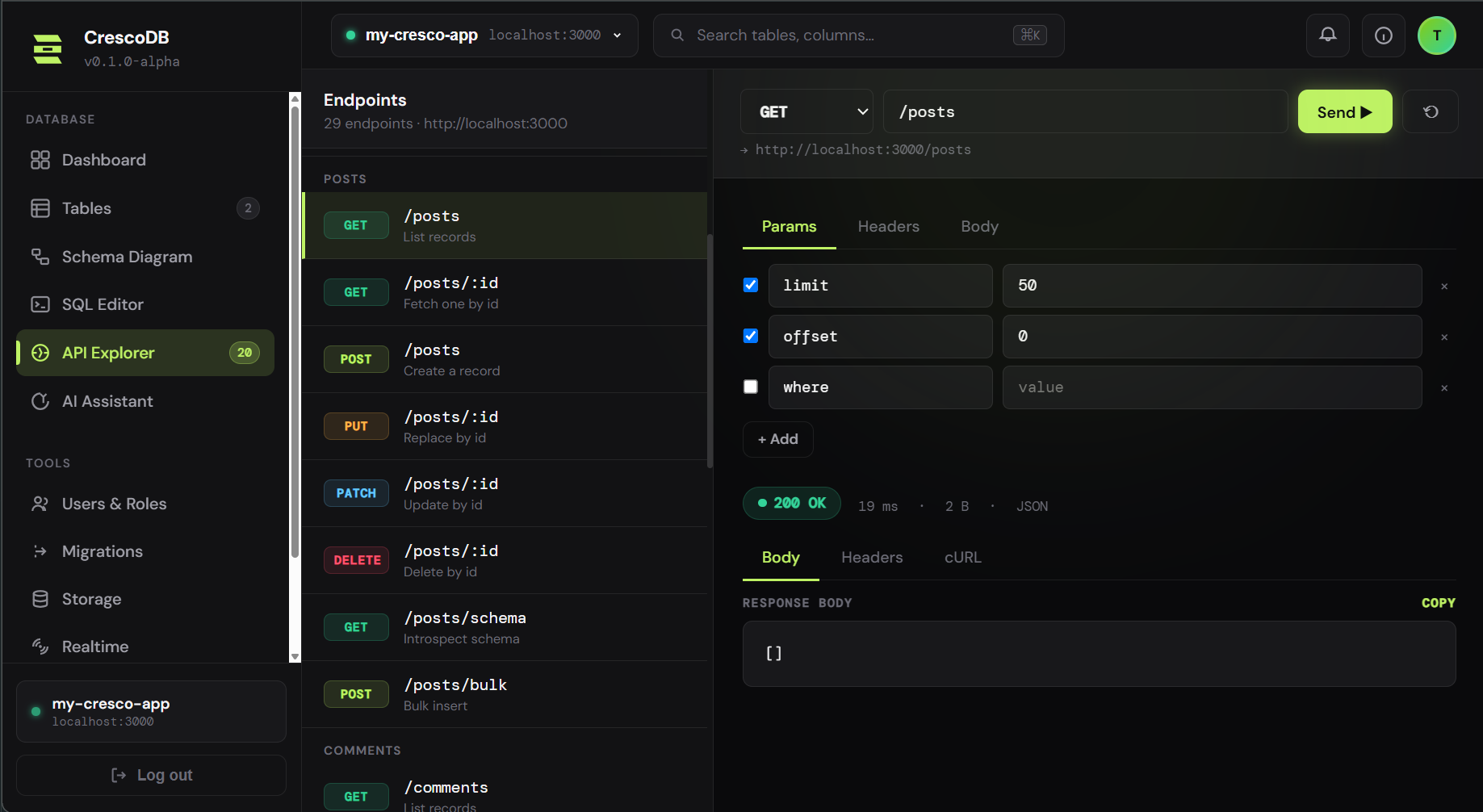
| Built-in API explorer | ✓ | ✕ Use Postman or the docs |
| MCP server for your AI agent | ✓ cresco mcp | ✓ |
| Auth and roles | ✓ Plus code you own if you prefer | ✓ Plus many providers |
| Access control default | ✓ Private. A table with no access block needs a signed-in user | Policies you add. An unconfigured table is exposed through the public key |
| Deploy blocked by a security check | ✓ cresco deploy refuses on a critical finding | ✕ |
| Realtime | ✓ (SSE) | ✓ (WebSockets) |
| File storage | ✓ | ✓ |
| Databases | SQLite · Postgres · MySQL | Postgres |
| Edge functions | ✕ Custom routes | ✓ |
| Custom domain and HTTPS | ✓ Automatic | ✓ |
| Monitoring, alerting, backups | ✓ And every backup is restored to prove it works | ✓ Managed for you |
| Price model | Per account | Per project |
| Maturity | Shipping, still young | Mature, large ecosystem |
What it actually costs
This is the part that decides it for most people, so here is the real comparison rather than a feature list.
Supabase Pro bills per organisation, with the first project included and each additional project from $10 a month, before storage, bandwidth and compute. CrescoDB Pro is $20 a month plus a server you rent yourself, from about $5, and one server runs up to 15 apps.
| Apps you are running | Supabase Pro | CrescoDB Pro + a server |
|---|---|---|
| 1 | $25 | $26 |
| 3 | $45 | $26 |
| 6 | $75 | $26 |
| 15 | $165 | $26 |
On one app they cost about the same, and Supabase gives you more for it. The difference shows up on the second one, and it compounds from there. A hosted backend adds a line item every time you take on a client. On CrescoDB, your 15 apps run on one box you already pay for, so the bill stops moving.
There is no usage meter on top of it either: no egress charge, no per-row read, no compute add-on that appears the month something gets popular. The server has a fixed price and you picked it. The obvious trade: you rent and connect a server once. It takes about five minutes, and the dashboard gives you one command to paste into it.
Supabase Pro pricing as published on 25 October 2026 ($25/mo, each extra project from $10/mo). Check both yourself; we would rather you did.
Security, where the two actually differ
Both have row-level security and both can be locked down properly. The difference is what happens when you forget.
On Supabase, access is granted by policies you write. It is a powerful model, and the most common way user data ends up exposed on a backend of that shape is a table nobody added a policy to, reachable through a public key.
On CrescoDB, tables are private by default. A model that declares no access block requires a signed-in user, so a table you have not thought about is not readable by anyone on the internet. Public access is fully supported, it just has to be something you typed.
And because CrescoDB owns your schema, it can check before you ship. cresco deploy runs an access audit first and refuses to produce a deployment on a critical finding: a table of personal data readable by anyone, or an API with no sign-in. A scanner that works from the outside only helps after the mistake is live; this one runs before anything is deployed, and it exits non-zero, so it works in CI.
You can try the audit half right now, free, with no account, at crescodb.com/audit. Paste a schema and it tells you which tables hold data about real people and what is standing in front of them.
The real test: building a blog backend
Feature checklists do not matter. Workflows do. Here is the same task, a blog with posts, comments and auth, in each tool.
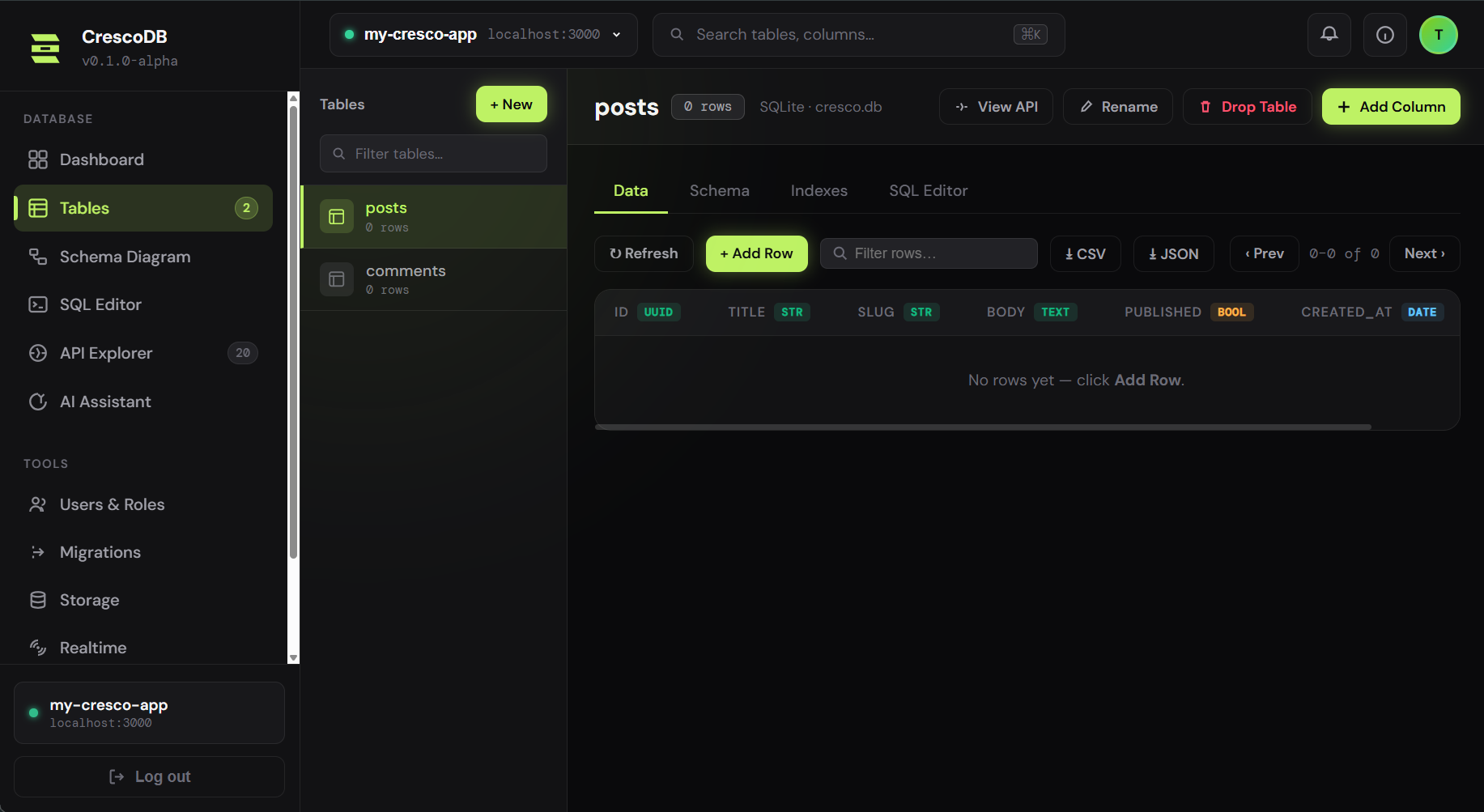
CrescoDB
- Press New project, and the backend runs in your tab (or run
npm create crescodb@latest bloglocally) - Make the
postsandcommentstables, or describe them in plain English - Turn on sign-in, already on in a new project
- Decide who can read and write each table, with the access audit flagging anything everyone can read
- Deploy to your own server when you are ready, and the data moves to Postgres there in one transaction
Prefer the terminal: cresco create blog writes the tables and a working blog site as code you own, cresco create auth writes register.js, login.js, middleware.js and jwt.js, and cresco dev runs the API, the dashboard and a live API explorer on localhost.
Supabase
- Sign up, create a project, wait for the database to provision
- Design the
posts/commentstables in the Table Editor - Add row-level-security policies
- Enable an auth provider in the Auth settings
- Install
supabase-jsand call your data from your app - Test endpoints with an external tool or the API docs
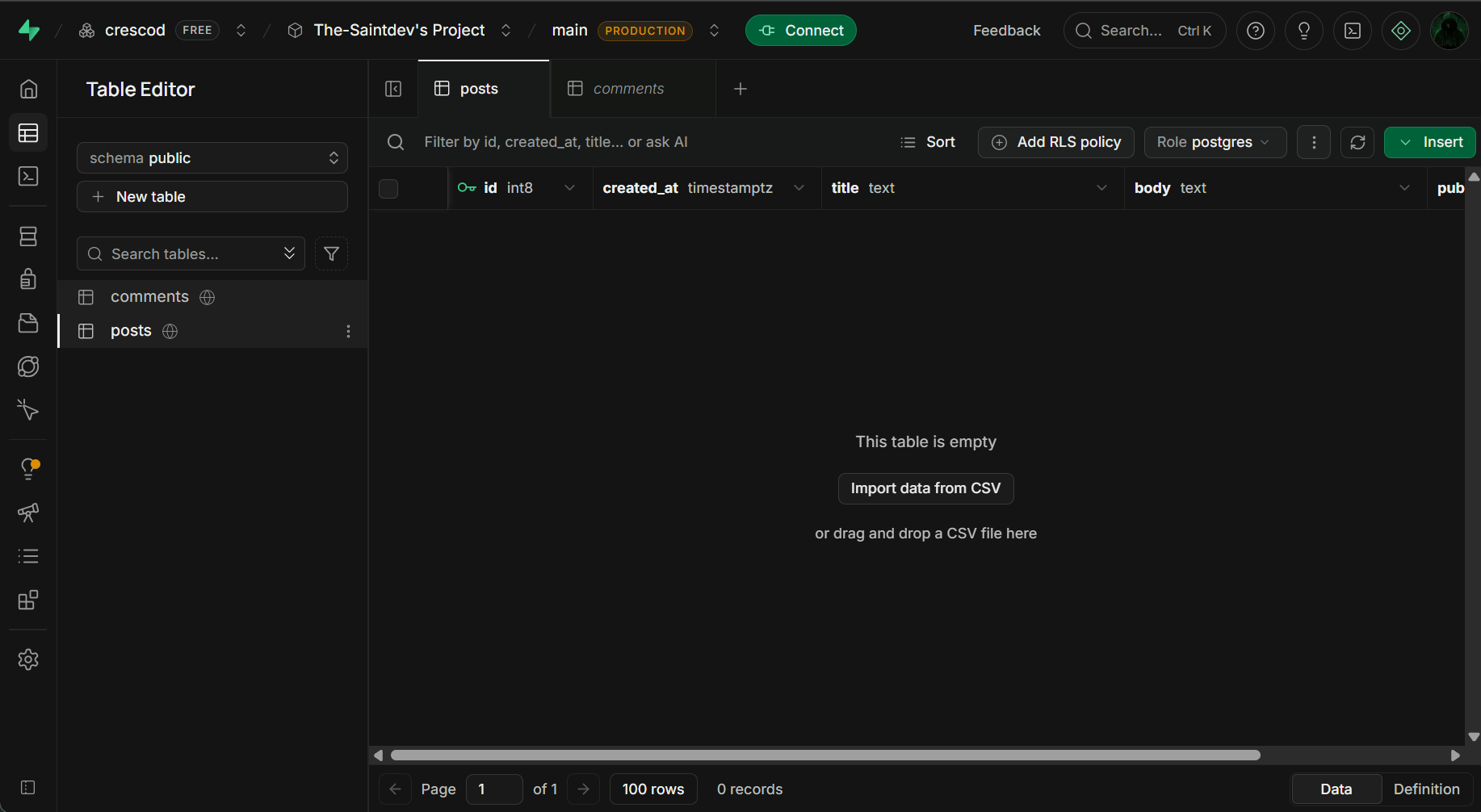
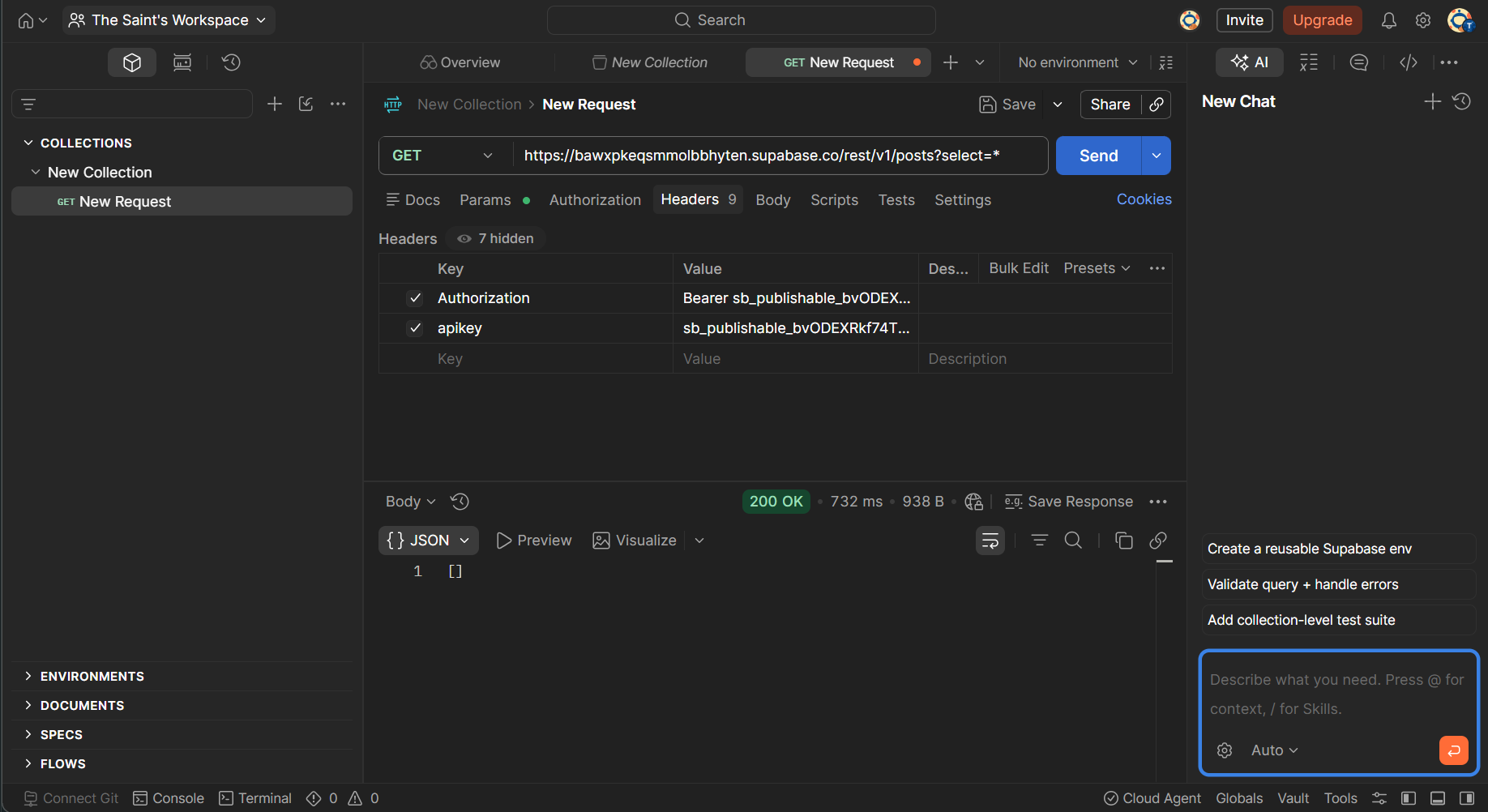
Both end with a working API. The difference is where you got there: CrescoDB in your browser or on your machine with code you own, Supabase in their cloud with everything managed for you. Neither is better; they are different philosophies.
Where Supabase is better, plainly
- Nothing to operate. Your database is their problem, including the upgrades, the failover and the 3am page.
- Maturity. Years of production traffic, thousands of tutorials, a large community, and answers to questions nobody has asked about us yet.
- GraphQL and edge functions, if your architecture needs them.
- A whole ecosystem built around it: tooling, integrations, agencies who already know it.
- Broader provider choice for auth out of the box.
If those are the things keeping you up at night, Supabase is the right call and we would rather say so.
The honest bottom line
If you want production managed entirely for you, and you never want to think about a server, Supabase is the more complete choice today. That is not a small thing.
If you want to own the thing you ship, if you run more than one app, or if your bill grows every time you take on a client, CrescoDB is built for exactly that. You rent the server, we build and run your app on it, watch it, back it up and prove the backups restore, and cresco eject hands you the code and every row as plain SQL if you ever want to leave.
You are not betting the business on us being here. The continuity page sets out exactly what happens if we are not.
Try it before you decide
Paste a schema at the audit, no account and nothing uploaded, or start a project in the browser.